

Tero Vido Underground Imaging Systems
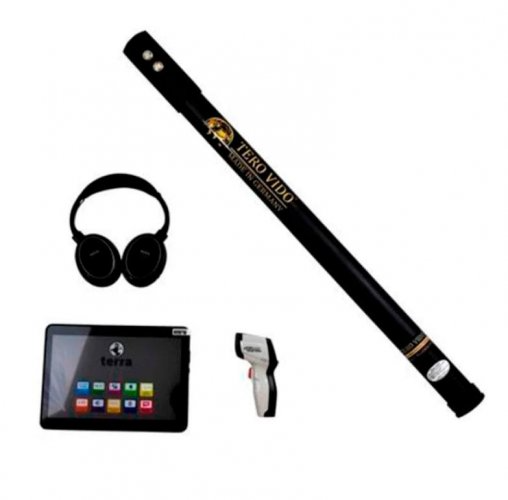
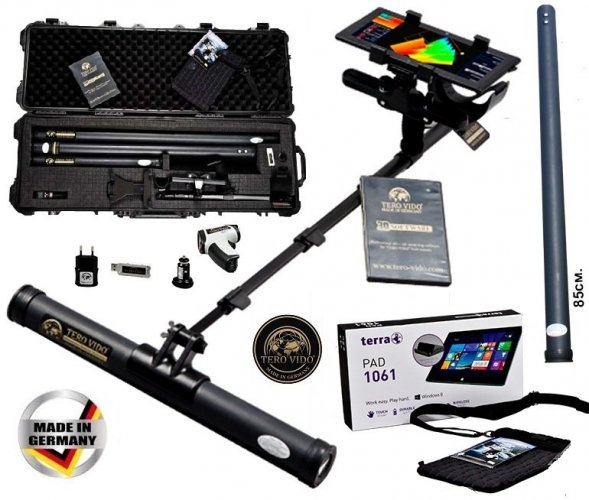
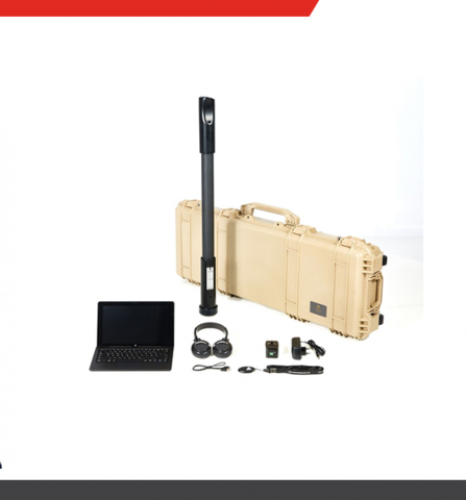
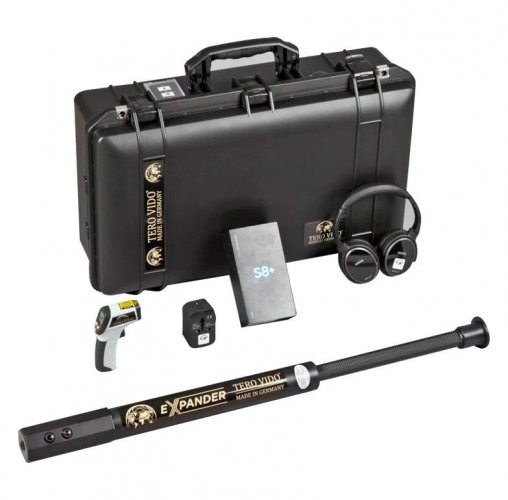
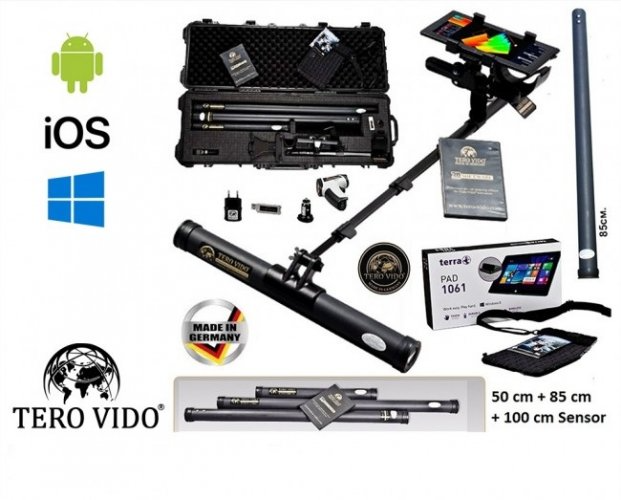
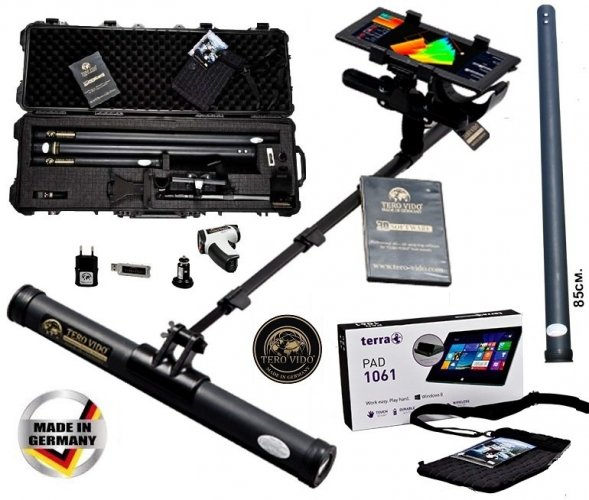
Selecting a Tero Vido underground imaging system starts with matching the model name to the actual sensor and software package. This category includes Basic, Basic Plus, Standart, Expander, Expander Gold and Pro Edition listings. Names provide a starting point, but broad labels such as beginner or professional do not explain the complete difference. Establish which probes, control device and operating functions are included in the equipment being offered.
Your field routine should shape the comparison. Detailed checks in a small area, orderly coverage of a larger surface and frequent transport between locations create different requirements. The right package combines components that serve those requirements. The number of accessories matters less than their usefulness in the measurements you intend to perform and your ability to learn a reliable recording process.
Tero Vido models and sensor packages
A comparison between Tero Vido Basic Plus and Pro Edition illustrates why the contents list matters. The manufacturer's Basic Plus description includes vertical and horizontal probes, while its Pro Edition package adds a further horizontal probe size. This does not establish that every historical version or every seller's package has identical contents. Match the offered equipment to a current, explicit component list.
When considering Tero Vido Pro Edition, ask how each additional probe would be used in your working area. More components can support different arrangements, but each requires appropriate handling and clear notes. When comparing records from two probes, it helps to know which was used, the direction of the survey and how the sensor was positioned. Without that information, differences between images become harder to explain.
Do not treat Basic and Standart listings as equivalent solely because their names sound like entry configurations. Check hardware, software version and controller separately, particularly when products from different periods appear together. Instead of assuming that a screen shown in a demonstration video will be supplied, request a sample record opened on the actual proposed system.
Comparing Tero Vido Expander and Expander Gold
Tero Vido Expander and Tero Vido Expander Gold can be considered when portability and sensor handling are central to the decision. The manufacturer describes an adjustable probe and tablet-based software for Expander Gold. Confirm that the version offered in the sales listing matches the relevant description. Compare the equipment and working arrangement rather than allowing the word Gold to carry the entire explanation of the difference.
An adjustable body should be assessed through transport and operator posture. During a demonstration, observe whether you can maintain consistent handling while looking at the display and turning at the end of a line. A comfortable grip needs to remain manageable throughout the measurement. An arrangement that feels easy for the first few steps may create different demands during a longer session.
The name Expander Gold does not mean that every response conclusively identifies gold. Imaging data can be affected by nearby metal, site conditions, movement and processing choices. Separate the marketing name from the limits of the measurement. If identifying a particular object is central to your expectations, ask what evidence supports that interpretation and how alternative explanations are considered.
Tero Vido 3D scanning: probe handling and field preparation
An orderly survey requires sensor movement to match the recording plan. Mark the corners, establish the starting direction and decide the line sequence before collecting data. Random changes of direction or inconsistent spacing can make the geometry uncertain. If you recognise a poorly recorded line, note the problem and keep any replacement measurement clearly identified instead of silently combining incompatible records.
Metal objects carried by the operator and nearby structures may affect the working arrangement. Record the positions of fences, vehicles and substantial metal objects around the practice area. Follow the manual for the exact model when preparing or balancing the device. A button sequence or handling method learned on another brand should not automatically be transferred to a Tero Vido system.
Where several probes are used, include the sensor in the file name or accompanying notes. Keep a vertical-probe record and a horizontal-probe record of the same area separately identifiable. Before comparing their images, check the area boundaries and starting directions. Focusing only on a larger-looking shape can hide the fact that the physical coverage or recording arrangement changed between attempts.
Tero Vido software, image review and survey archives
Assess the Tero Vido 3D software through the usefulness of saved records as well as the screen presentation. Save a representative scan, leave the application and reopen the file. Learn how to retrieve area dimensions, orientation and sensor information. Establish the transfer procedure before purchasing, particularly if records will later be moved to another computer or a replacement control device.
Colour, filtering and perspective can alter the appearance of a result. Preserve the original record and keep review versions separately where possible. Producing an impressive image and describing a field observation reliably are different achievements. Note what supports an interpretation, and avoid deriving a definite metal identity or cavity dimension from a single colour without adequate supporting evidence.
For learning, several measurements of a small area may be more informative than one extensive survey. Change one aspect at a time, such as handling or line direction, so that differences can be investigated. Altering several settings simultaneously makes the cause of an improvement or deterioration difficult to establish. A simple practice log can become a useful reference for later work.
Tero Vido detector prices and package comparison
Compare Tero Vido detector prices alongside the complete contents and your intended use. Sensor selection, controller, software and carrying equipment may influence the quotation. A model name in a category description is not a guarantee that a particular accessory is present in every package. Check the current product record and obtain a written list of the components that will actually be delivered.
| Decision area | Information to compare | Practical check |
|---|---|---|
| Basic and Standart listings | Version, sensors and controller | Match the demonstration to the quotation |
| Basic Plus and Pro Edition | Probe options and complete contents | Explain a task for each supplied probe |
| Expander options | Body arrangement and handling | Maintain consistent posture along a line |
| Software and training | Recording, archiving and learning scope | Reopen and review a saved measurement |
A price difference alone does not explain the value of a package. If you cannot identify the purpose of an additional component in your own work, request a more specific demonstration. Evaluate installation, training and support conditions separately from the instrument specifications. These services should be described in the offer rather than inferred from general information about the category.
Which Tero Vido imaging device is best for your needs?
The best Tero Vido device is the one that fits your sites and the survey routine you can maintain. For a single operator, transport and display visibility may be priorities. For a team, clear responsibilities and a shared recording system can matter more. Restricted spaces may favour one sensor arrangement, while open ground places greater emphasis on following consistent lines. Build the shortlist around those real situations.
Comparing the broader underground imaging systems range can also help clarify expectations. During a demonstration, learn how to recognise an unreliable measurement as well as how to produce a successful example. Repeat records and documented settings provide more information than one striking image. At delivery, check the model, probes, software and accessories against the package you selected.
Try a complete session before committing to a complicated working routine. Pack the equipment, assemble it, collect a short scan, save the record and prepare the kit for transport again. This reveals practical needs that may not appear in a feature list, including where accessories are stored and how the screen is supported. The result is a decision based on actual use rather than an abstract equipment hierarchy.
It is also useful to define what a satisfactory first month would look like. For example, you may want to produce consistently labelled records from several small test areas and reopen them without assistance. Such a concrete learning objective helps you decide whether the offered training and package match your experience, while keeping expectations tied to a process you can evaluate.
Frequently Asked Questions
What is the main difference between Basic Plus and Pro Edition?
Probe options and package scope are central to the comparison. Confirm the exact differences for the offered versions using current contents lists.
Does Expander Gold respond only to gold?
No such conclusion follows from its name. Imaging responses need interpretation in relation to the measurement and surrounding conditions.
Is a tablet included in the Tero Vido price?
A tablet appears in some manufacturer package descriptions, but the actual sales package must be checked. The quotation should identify the controller supplied.
Can records from different probes be compared directly?
First consider sensor arrangement, survey dimensions, orientation and collection method. Similar-looking displays may represent different measurement conditions.
Is there one best Tero Vido model for everyone?
No. Choose according to site access, transport needs, probe use and the analysis routine you can support.