

Mega Underground Imaging Systems
Mega underground imaging devices and 3D models
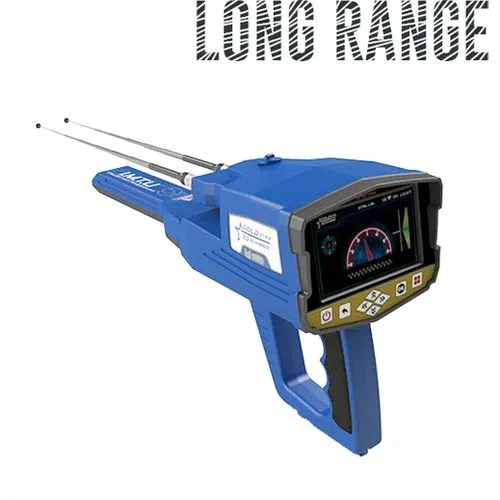
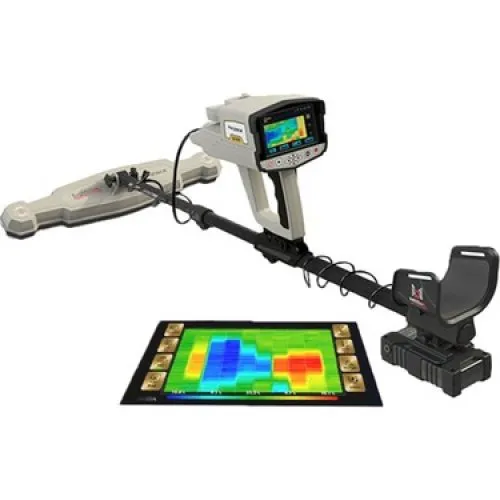
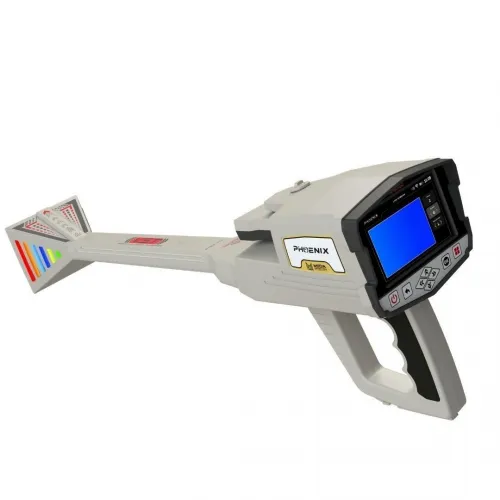
The Mega underground imaging category includes Gold Star 3D, MEGA 3D Phoenix and another 3D Phoenix Underground Imaging listing. First separate different model families from closely named catalogue entries. The two Phoenix names alone do not establish identical packages or different generations. Product codes, hardware and delivery contents are needed for a technical comparison.
Define the record and workflow you expect from a Mega imaging device. Watching an immediate change, creating a structured area survey and analysing a file later are different requirements. Even where a system supports all three, each stage needs to be understood. This focuses selection on practical use rather than the number of systems or the appearance of a demonstration image.
Mega Phoenix Ground Scan, Live Stream and PinPointer
The manufacturer manual for MEGA 3D Phoenix treats Ground Scan, Live Stream and PinPointer as separate functions and identifies components such as the MGS scanner and VST sensor. Learn which component belongs to each operation rather than treating the names as alternative screens for one measurement. Confirm that the manual matches the Phoenix version being supplied.
For Ground Scan, area dimensions, starting direction and collection order are central. With live viewing, examine the relationship between operator movement and the immediate display. Learn the PinPointer procedure from the relevant instructions as well. A similarly named mode on another product should not be assumed to use the same hardware or operating steps.
Keep outputs from separate demonstration modes clearly named. A screenshot of a live indication and a structured area file should not be compared as identical record types. Establish what information was collected, which component was used and how the result can be reopened. This makes the part each Phoenix function plays in your intended investigation easier to understand.
Mega Gold Star 3D versus Phoenix
When comparing MEGA Gold Star 3D with Phoenix options, look beyond mode counts. Assess the required function, its sensor, viewing environment and review process together. Keep the Gold Star 3D operating document separate from the Phoenix manual. A feature should not be transferred from one model to another merely because they share a brand.
If the 3D Phoenix Underground Imaging listing differs in price or description from MEGA 3D Phoenix, resolve package identity first. Word order in a title does not establish a newer or more powerful device. Match the complete model, sensor list, application version and accessories before interpreting the difference. An unexplained listing difference should not be presented as a performance advantage.
| Comparison criterion | Detail to inspect | Required outcome |
|---|---|---|
| Model identity | Code, label and manual | Comparison of the correct version |
| Intended mode | Sensor and setup steps | A workable field arrangement |
| Viewing | Application and supported hardware | A record that can be opened |
| Archiving | Names, export and field notes | Data suitable for later review |
Mega 3D imaging software and file management
The Phoenix manual discusses the Multi Visual Analyzer application. Verify the version, supported hardware and installation access before purchase. Software running on somebody else's device does not establish a ready installation on your own phone or tablet. Opening a sample file in your intended review environment reduces that uncertainty.
Use a simple, consistent naming convention. Area, date, direction and repeat number can appear in the same order for each file. Preserve the original when processing a record and create a new copy. This allows changes to colours, filters or scales to be traced. A brief note explaining the reason for each processed version makes an archive more useful than several ambiguously named copies.
Rotating, enlarging or recolouring a three-dimensional image does not produce new field measurements. These operations help examine existing data. Before treating a newly prominent shape as a new finding, check its relation to the source record. Its position should be explainable in terms of the area and survey line, not just its position on the screen.
If another person will review the record, a screenshot may be insufficient. File format, application version and area sketch can all be needed. Keep a full view when cropping would remove orientation or scale information. Allowing the reviewer to open the same data and examine the settings provides a clearer basis for discussion than sending only an already interpreted image.
For longer projects, separate original measurements, processed copies and final presentation images into clearly named groups. This does not require a complicated archive, but it does require consistency. When a record is revisited weeks later, the original should be easy to identify. A file list with brief descriptions helps prevent a presentation image from being mistaken for the complete measurement.
Mega underground imaging prices
Compare Mega imaging prices with the current package contents of Gold Star 3D and Phoenix. The control unit, sensors, application access, viewing hardware and transport equipment can be checked separately. Do not assume every item in a photograph is included. Consult the current product card and retain the amount with the delivery scope to which it applies.
A higher-priced package is not automatically more appropriate for every user. Identifying the modes you will use regularly reveals the budget impact of equipment that may remain unused. Conversely, a required sensor purchased separately can make an initial device price incomplete. Compare the full working arrangement rather than isolated headline amounts.
Learn the software licence, update arrangements and support scope from the offer. Do not assume identical terms across all Mega products. It is useful to establish how access continues when a phone or device is replaced. Over time, retaining and reopening records matters alongside the initial hardware price.
Choosing the best Mega 3D imaging model
The most suitable Mega model is one whose required recording process you can complete and understand. For solo work, transport and screen control may dominate. For a team, file sharing and task allocation may be more important. Recording the same small area with each candidate helps compare preparation and review under similar conditions.
The main underground imaging systems category brings together alternative imaging approaches. Within Mega, resolve the model identity, inspect the hardware for the intended mode and reopen a sample file. Image colour or shape alone is not conclusive material identification. Comparing equipment with an understanding of the method's limitations makes the relationship between advertised features and actual work clearer.
At the end of a demonstration, identify any step you could not repeat without assistance. It may concern a connection, a software setting or the meaning of a scale. Use that list to clarify the instruction required for the chosen package. This provides a concrete learning plan and is more informative than assuming that familiar controls will make every stage equally straightforward.
Frequently Asked Questions (FAQ)
Do the two Phoenix listings represent different generations?
The titles do not establish that. Compare codes, versions and delivery contents.
Do Ground Scan and Live Stream create identical data?
The manufacturer treats them as separate functions. Follow the recording and operating procedure for the selected mode.
Can the Gold Star 3D manual be used for Phoenix?
Use the document matching the exact model; a shared brand does not establish identical instructions.
Does rotating a 3D image create a new measurement?
No. It provides another view of the existing data.
Are an application and tablet included in Mega prices?
Check the current package's software, licence and hardware scope.