

GDI Area Scanning Detectors
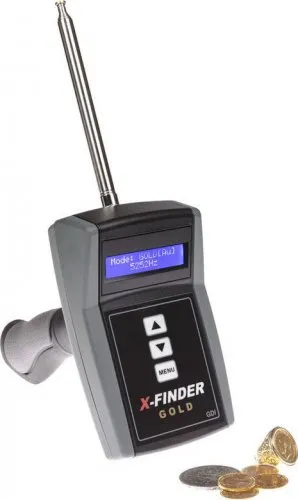
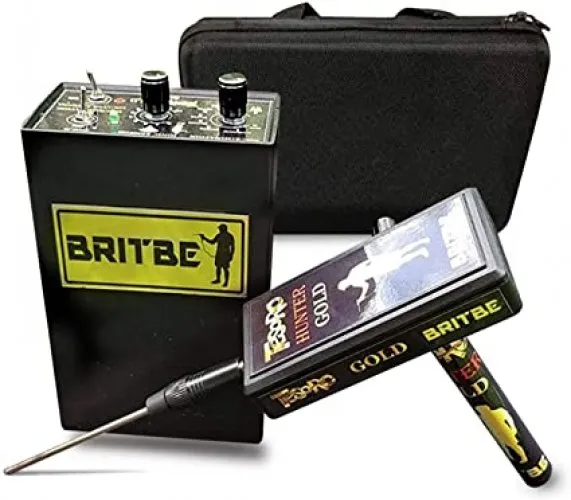
GDI area scanning detectors and available models
This GDI category lists GD Gold X-Finder and GDI Rayfinder. It provides a focused starting point for examining these two products and comparing their purchase packages. It does not represent every technology or device in the manufacturer's wider catalogue. Features associated with another GDI instrument should therefore not be transferred to either listing without model-specific documentation.
Begin your search with the complete product identity. The label, manual and quotation should refer to the same model and version. Similar names can appear in different packages, so a matching name alone is not a complete specification. Once you have defined your intended application and the type of information you need, review each product against those requirements.
Comparing GD Gold X-Finder and GDI Rayfinder
When comparing GD Gold X-Finder and GDI Rayfinder, start with the operating sequence. Identify the components used during setup, the purpose of each adjustment and the steps performed by the operator. If the interface contains a target or direction indicator, establish whether it represents a user selection or an instrument output. A menu label is not the same as a measured property of the ground.
Transport and assembly also deserve attention. A person working alone needs to understand how the supplied pieces are positioned, connected and packed away. Someone moving frequently between locations may place greater value on an organised case and a straightforward inventory of parts. These details affect everyday use; detection claims require their own supporting evidence and evaluation conditions.
| Comparison point | X-Finder record | Rayfinder record |
|---|---|---|
| Identity | Full model and version | Full model and version |
| Package | Written component list | Written component list |
| Operation | Setup and adjustment sequence | Setup and adjustment sequence |
| Support | Manual and service terms | Manual and service terms |
GDI area scanning detector prices
Use the product cards to view current listed prices, then open the relevant product page to examine the offered package. Record the version and included items alongside the price. Power equipment, connectors and optional accessories can affect the complete purchase cost. Stock availability and delivery timing should be checked against the current offer.
A higher price does not establish better results under every field condition. Ask what additional hardware, accessory or service accounts for the difference. A package that includes the components needed for your intended operation is easier to budget for than an offer whose missing pieces become apparent later. Compare complete quotations rather than isolated headline amounts.
GDI Rayfinder manuals and version matching
Use documentation that matches the Rayfinder being offered. Another listing with a similar spelling does not prove identical electronics, accessories or operating instructions. Matching the product label and component names helps avoid applying the wrong connection or adjustment procedure.
Read beyond the initial startup instructions. Review the adjustment sequence, the steps repeated after reassembly, and the stated power and storage requirements. If an indicated value is not explained, do not assume that it is a measured distance or a confirmed target identity. Make a short list of unclear terms and request an explanation for the exact model.
Choosing the best GDI detector for your needs
Compare ease of operation, clear documentation, package completeness and access to service. More settings do not automatically make a device more suitable. The useful question is whether you can follow the procedure, record what you did and interpret the reported result consistently.
The main area scanning detectors category introduces the distinction between directional products and other detection methods. Apply that distinction to your GDI shortlist: a direction indication, a short-range metal response and a subsurface image are different outputs. Establish which output the particular model provides instead of assuming that one category name includes every function.
Checking a GDI package on delivery
Compare the delivered equipment with the quotation and component list. Check the model label, connection pieces, any supplied power equipment and the carrying arrangement. Access to the correct manual remains useful after the first setup, especially when the device is unpacked after a period in storage.
If a demonstration forms part of your evaluation, agree on the settings, targets and assessment criteria beforehand. Record empty trials and alternative targets as well as successful examples. This gives your purchase decision a clearer basis in product information, practical operation and results that can be assessed.
Frequently Asked Questions (FAQ)
Which GDI models are listed here?
The category contains GD Gold X-Finder and GDI Rayfinder. Open their current cards for product details.
Is every product called RayFinder identical?
No. Check the manufacturer, full model, version and package rather than relying on a similar name.
How should GDI prices be compared?
Compare matching versions, included components and service terms.
Does every GDI device provide 3D imaging?
The brand name does not establish this function. Imaging must be documented for the specific model.
Which manual should I use for X-Finder or Rayfinder?
Use the manual that matches the complete model identity and version of the device.